The problem
- Partners didn't know why fees were being applied to their merchants
- Internal teams couldn't trace what happened when something went wrong
- Configuration lived across multiple disconnected tools with no source of truth
- No visibility into outcomes — no way to predict what the system would do or verify what it did
This wasn't just confusing — it created a fundamental lack of trust in how money was moving.
My role & team
I was the sole designer on the platform for 3.5 months, collaborating daily with my PM on product direction, the PM for underwriting where it intersected with settlements, and holding regular syncs with engineering and ops to stay grounded in technical constraints and real partner pain points. I operated with high autonomy — bringing design recommendations to stakeholders rather than waiting for direction.
The approach
The project started with a PRD from our banking PM proposing a global defaults model for fee configuration. It was directionally right — but full of open questions. I synthesized the PRD using Claude to surface edge cases, then spent the first week mapping flows and aligning with my PM and engineering on the path forward.
That first week of mapping changed the project. What started as a UI improvement became a systems clarity problem — the issue wasn't how screens looked, it was that no one could predict what the system would do.
The work
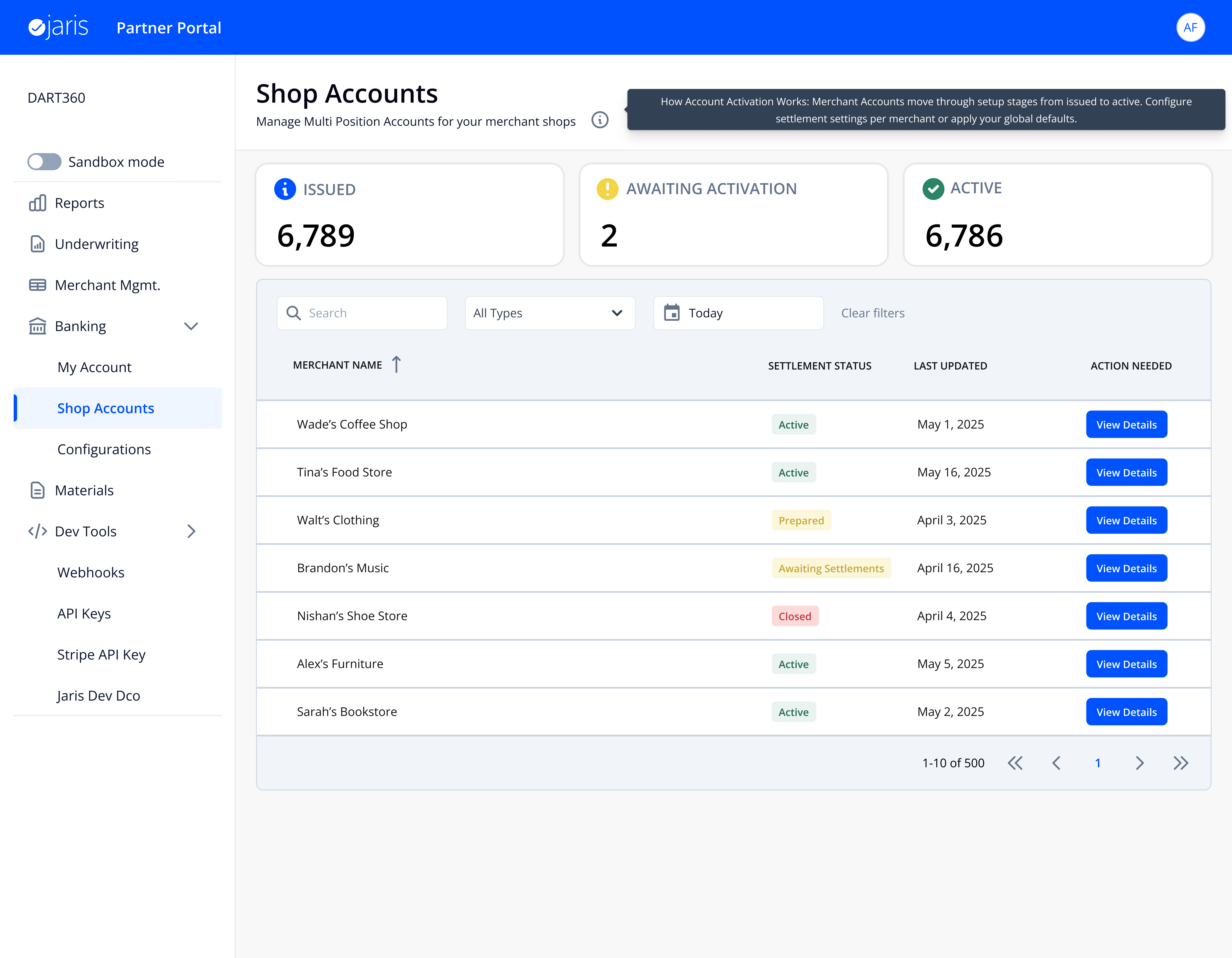
This is the partner's front door. They land here to see every merchant at a glance — 6,789 accounts with status, search, and filters. From here, they click into any merchant to manage their specific configuration.
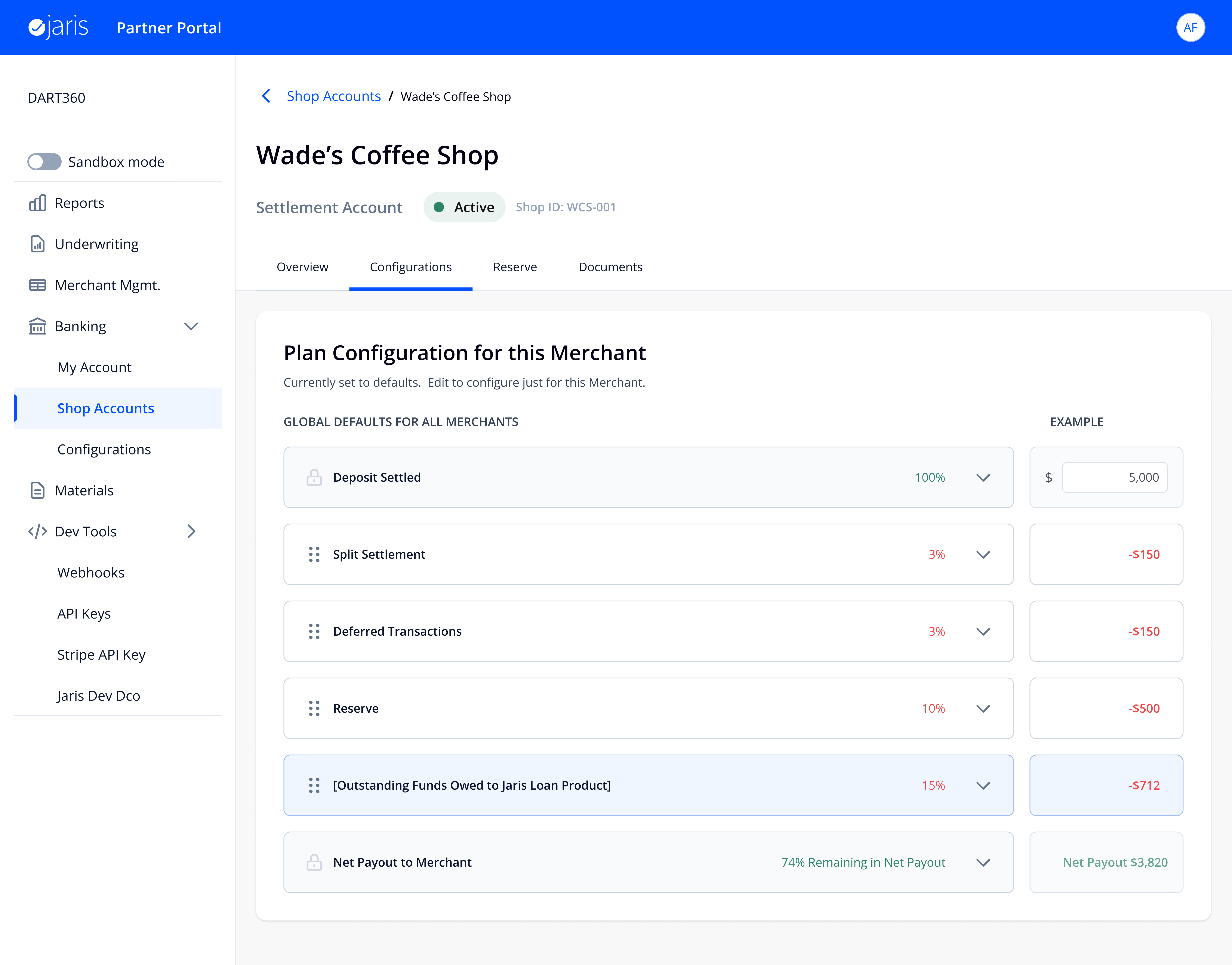
Click into a merchant and you land on their fee configuration. The header tells you immediately whether this merchant is on global defaults or has custom overrides. This two-tier model — global defaults that cascade, with per-merchant overrides when needed — is what makes the system scalable.
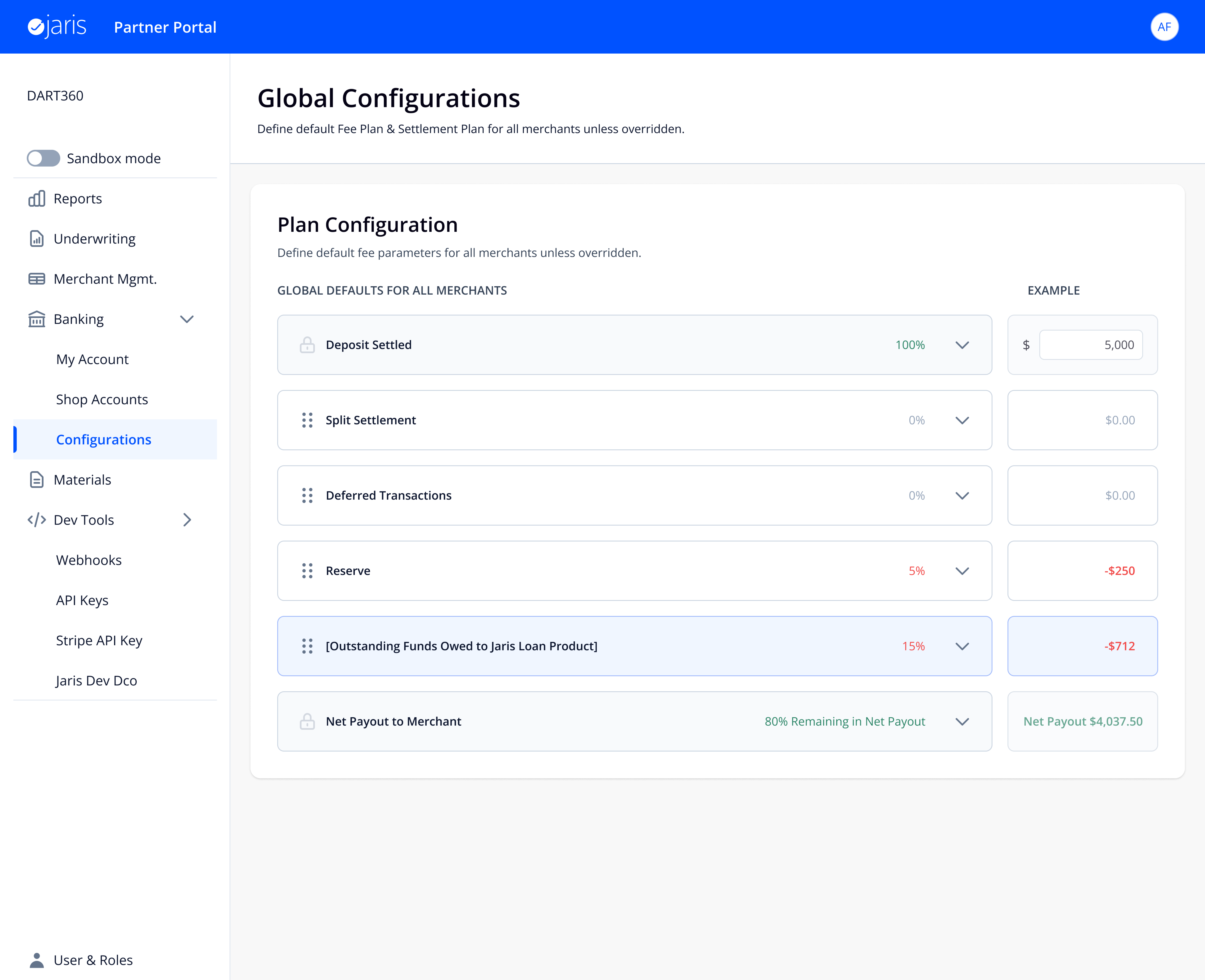
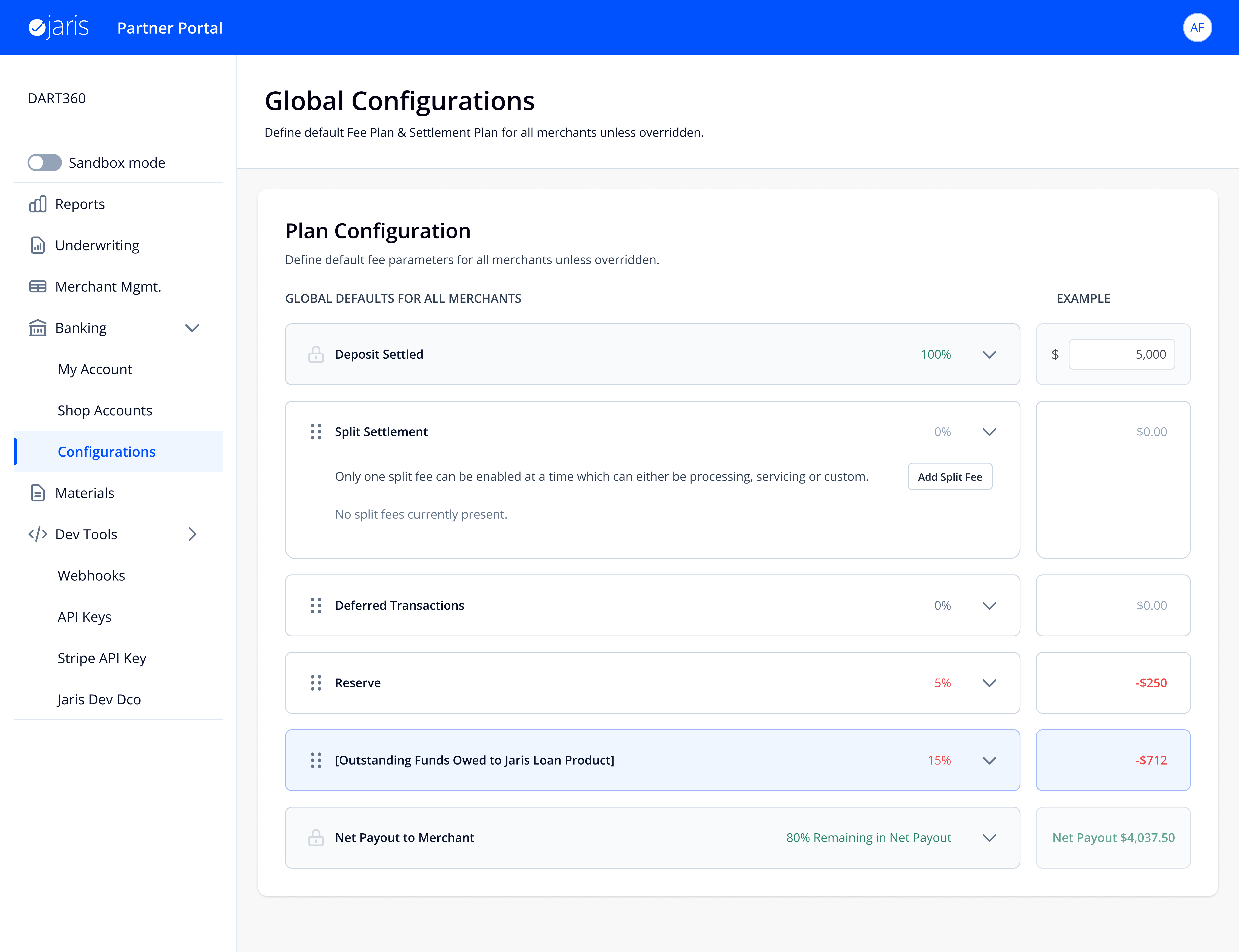
This is the global fee plan that applies to every merchant by default. Click through the full configuration path: the complete fee waterfall, expanding a row, adding a fee, editing the plan, and seeing the impact — all in one flow.
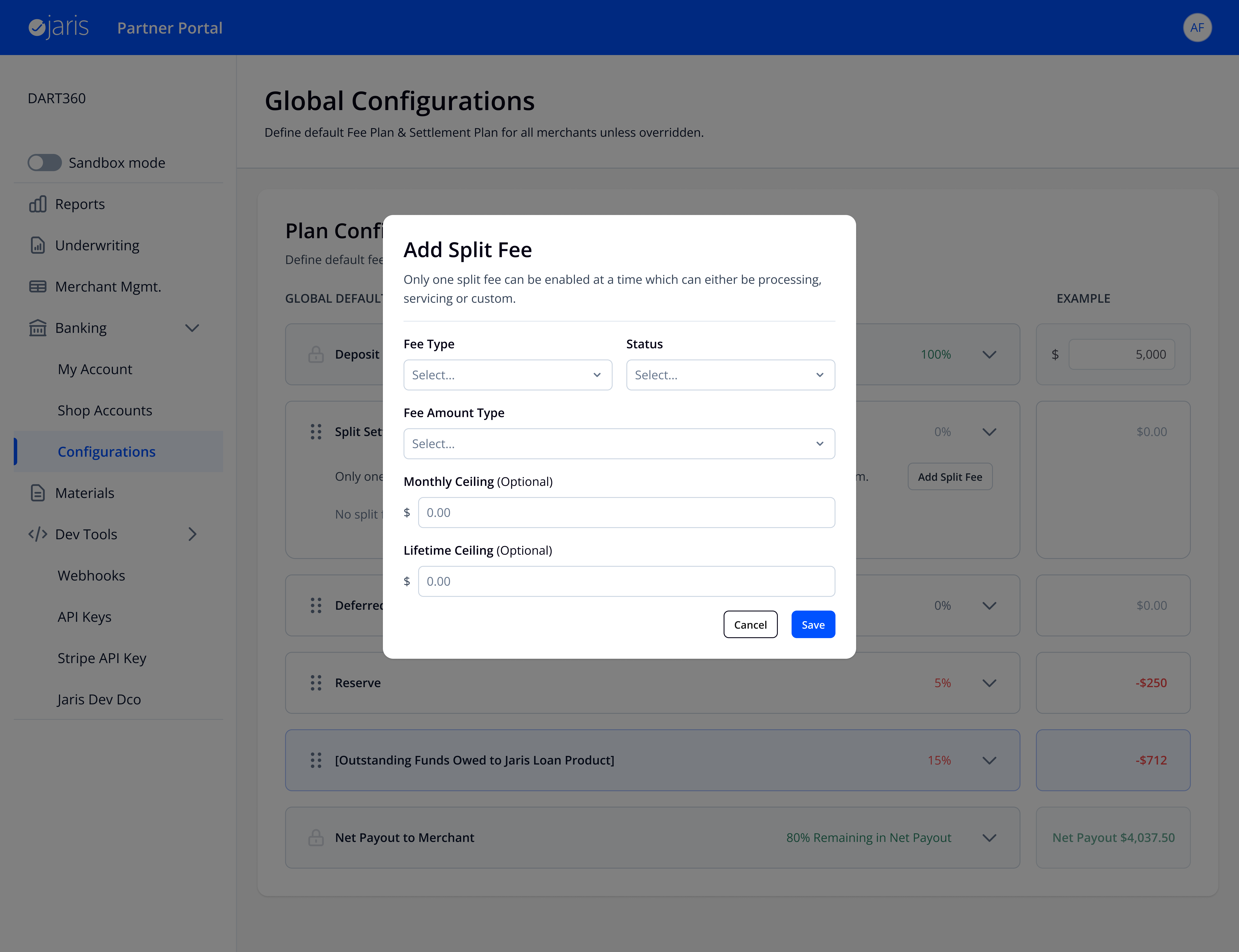
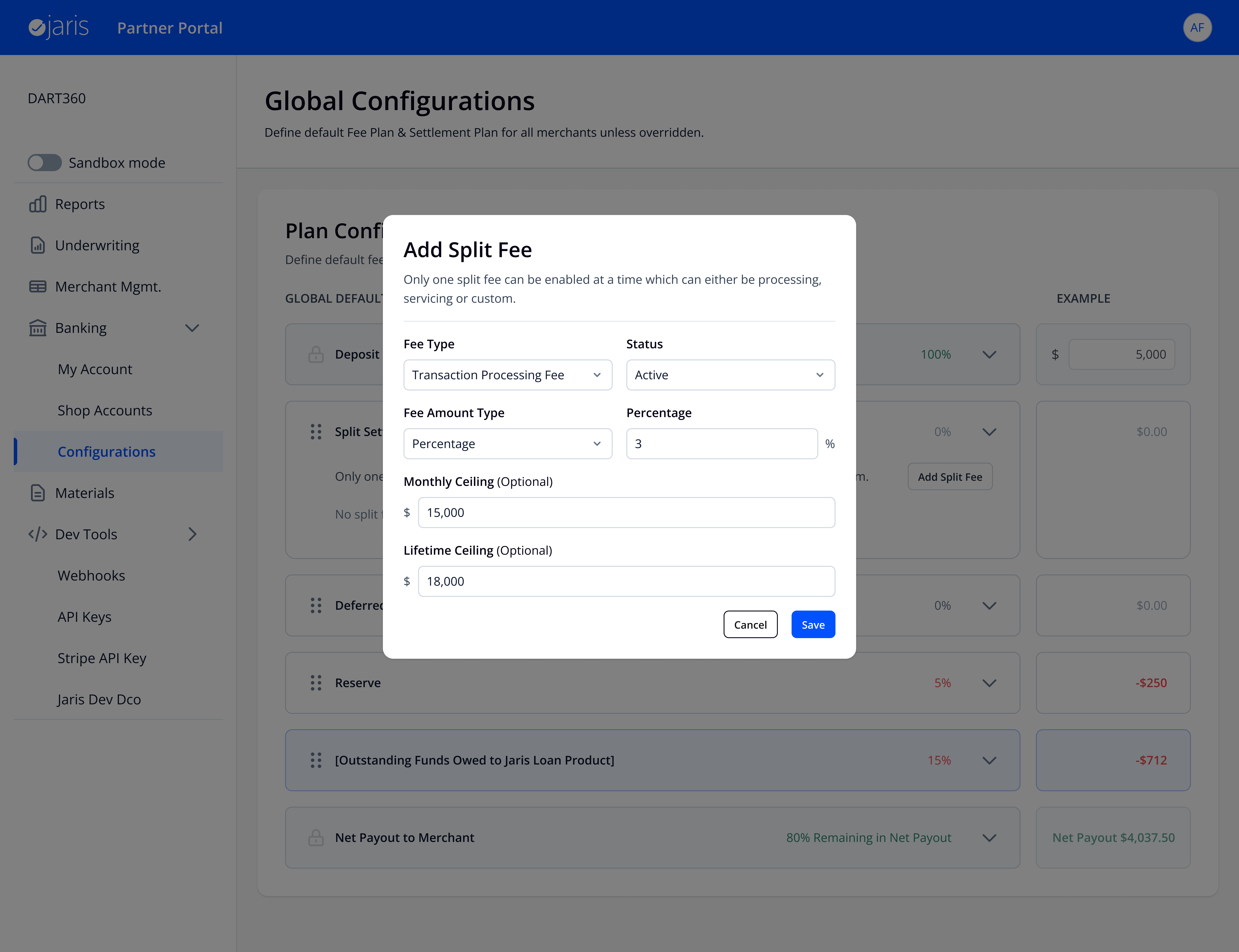
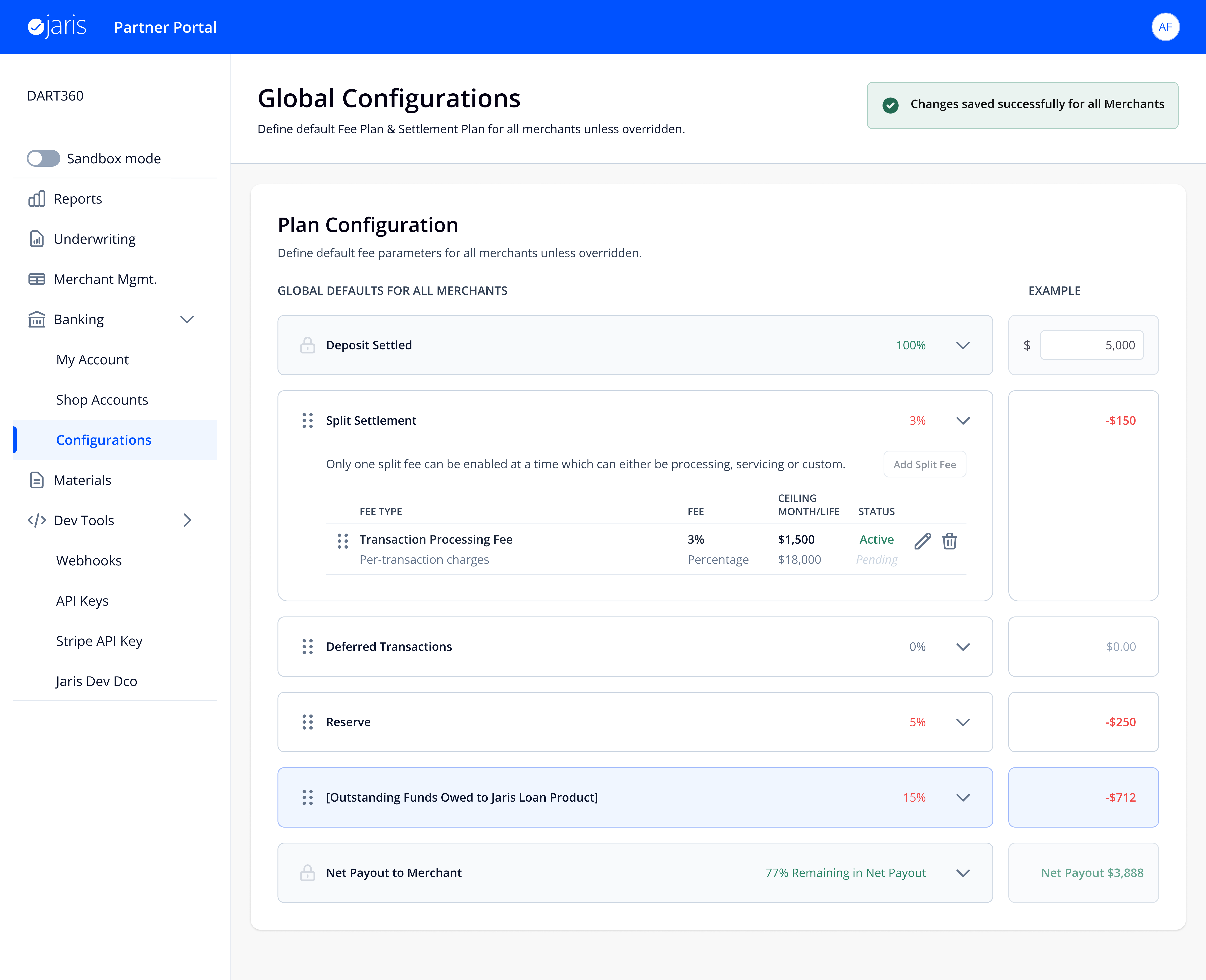
This is the screen that proved the project worked. Click any deposit and the Tracker shows the full waterfall: $10,000 in → Processing Fee (-$290) → Reserve (-$971) → Loan Repayment (-$1,500) → $7,239 released. Every dollar accounted for. No black boxes. No support tickets. Just answers.
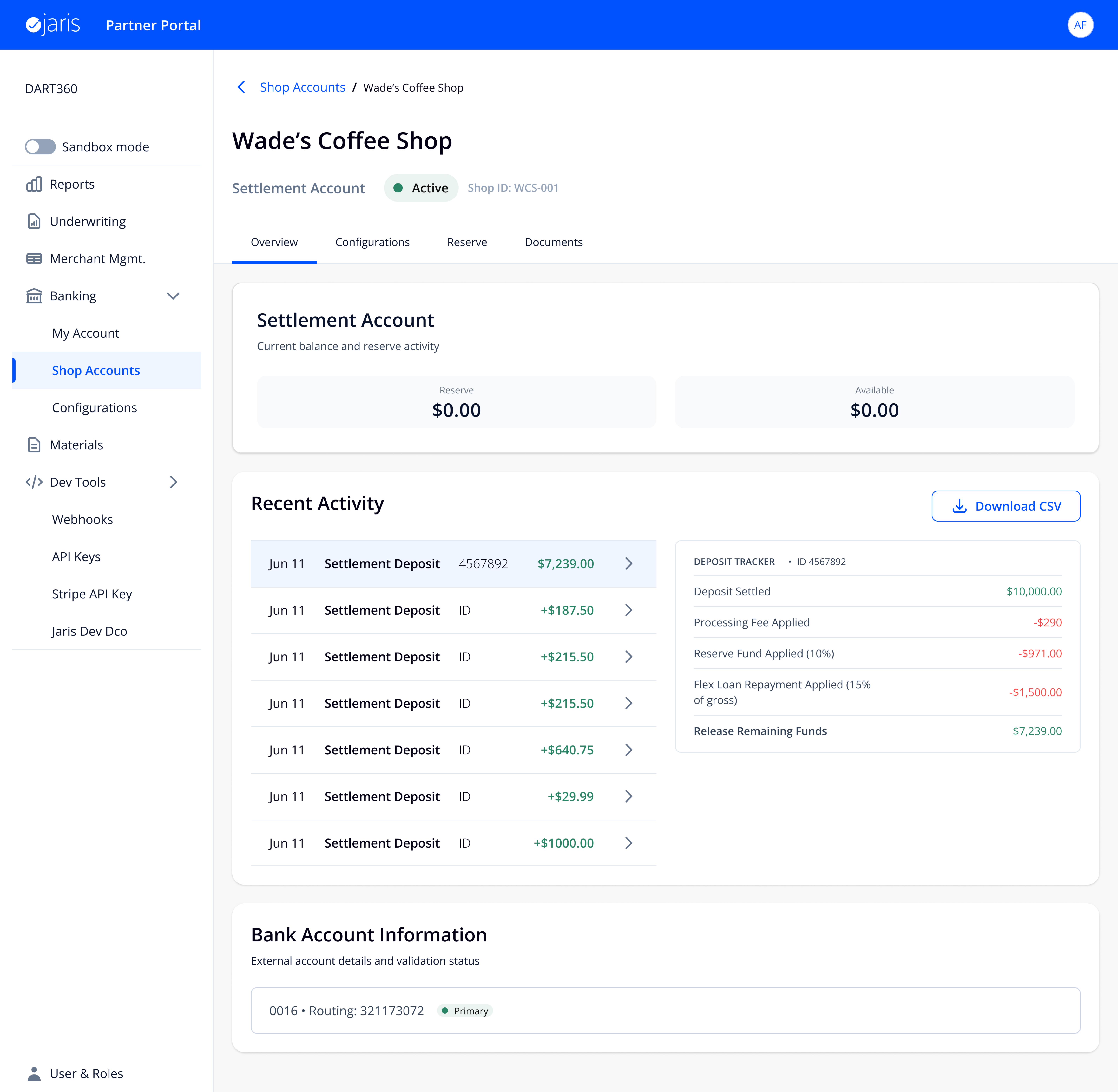
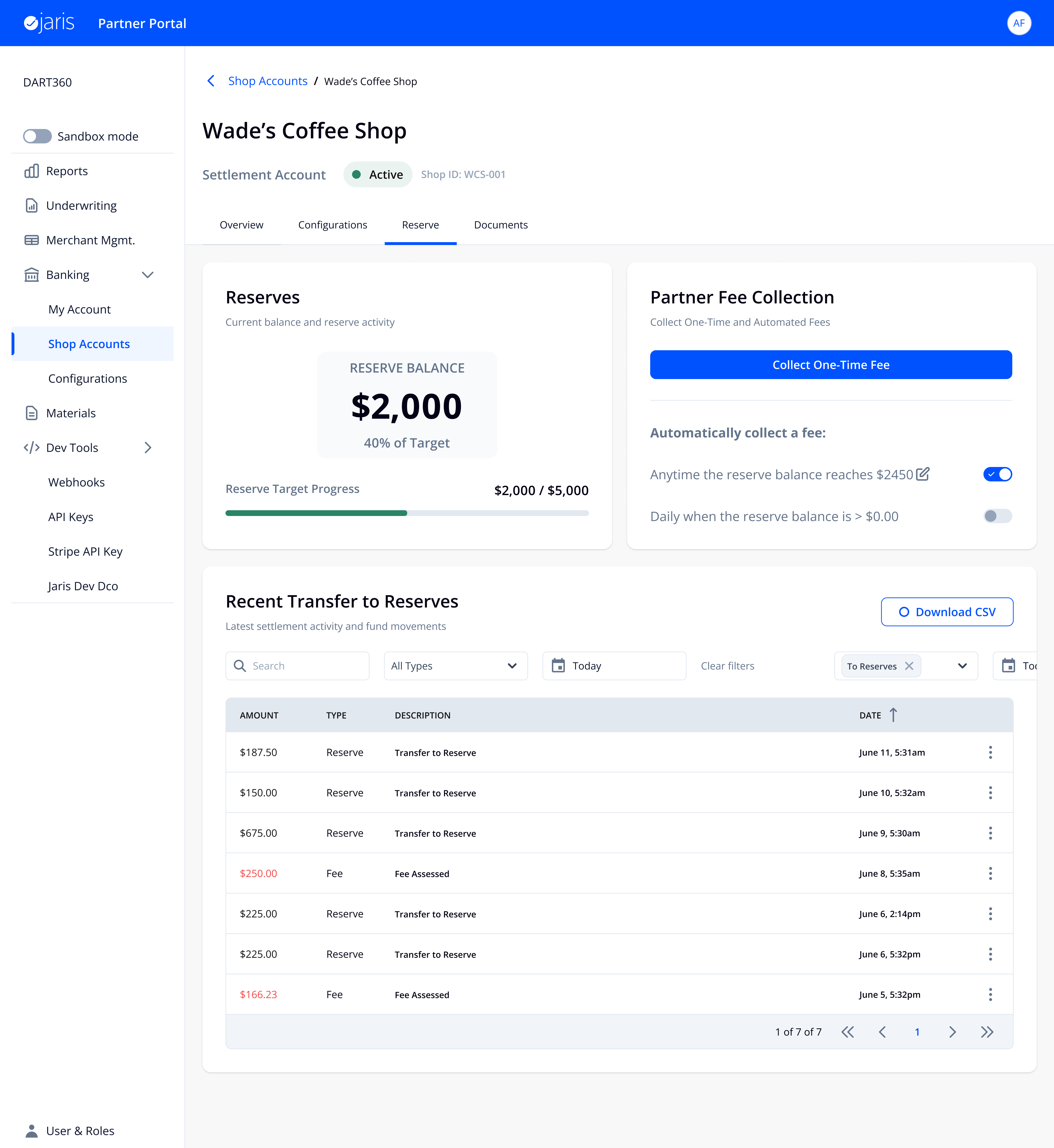
This isn't a settings screen — it's an operational tool. Reserve balances, automated fee collection rules, filtered transfer history. Partners use this daily, not just during setup.
Tradeoffs
Every decision meant choosing what to prioritize. I kept the configuration model simple and covered 90% of use cases, knowing we could handle the rest later. The backend couldn't support live data, so instead of faking it I designed around batch updates with clear timestamps. I gave users control over what actually mattered and let the system handle the rest predictably. And some edge cases like conflicting fee schedules weren't fully resolved in V2, but the architecture was built to support them without a redesign. Every one of these tradeoffs was a conversation with my PM and engineering — we agreed on what to ship now versus what to defer.
I used Claude and Cursor throughout — for synthesizing PRDs, pressure-testing edge cases, and moving faster through implementation. The judgment came from me; AI made the process faster.
Outcome
The system went from something people worked around to something they worked with.
- Partners could self-serve for the first time — see exactly how fees were applied and what merchants received
- Ops team could debug without engineering — the Deposit Tracker replaced their most common escalation
- Scalable foundation shipped — architecture supports future features without requiring a redesign
This project taught me that in complex systems, the most impactful design work is structural, not visual. If I did it again, I'd push even earlier for quantitative baselines so every narrative had harder numbers behind it.
Reflections
- Systems clarity is a design material. The most impactful work on this project wasn't visual — it was structural. Making a complex system understandable is a design problem, and it's the kind of problem I'm drawn to.
- Predictability beats flexibility. The instinct in complex systems is to give users maximum control. But control without understanding creates more problems than it solves. Predictability is the harder, more valuable goal.